Reviewed 17 October 2026. If your EPF claim is rejected, first save the exact rejection remark and identify which claim was rejected. Reapplying with identical records can repeat the problem. A bank-KYC mismatch, missing employment detail and benefit-eligibility issue do not have one common fix.
Quick answer: match the remark to the affected record, compare it with your documents, complete the relevant correction or request clarification, then check the record again before reapplying. A “KYC approved” label is not proof that every claim condition is satisfied. This guide explains how to organise that check; it does not diagnose an account we cannot see.
Where to start when an EPF claim is rejected
Open the official EPFO member portal yourself, match the claim reference and retain the complete rejection remark available for that request. If the remark is missing or unclear, use the clarification route below instead of guessing which correction is needed. We have not accessed an authenticated member account.
Record the claim type, submission date, rejection date and exact wording. If you filed more than one request, make a separate line for each. One rejected claim does not tell you the status of all other claims. A blocked filing screen is also different from a claim that was accepted for processing and then rejected.
| Field | What to record and do |
|---|---|
| Claim reference | Record this: Reference shown in your own official account Why it matters: Keeps the discussion tied to the right request. |
| Claim type / purpose | Record this: The option you actually submitted Why it matters: Different benefits and records may be assessed. |
| Exact remark | Record this: Full text, not only “rejected” Why it matters: Identifies the question to investigate. |
| Affected employment | Record this: Employer and relevant member ID Why it matters: A correction to another record may not resolve this one. |
| Current data | Record this: What the relevant screen shows today Why it matters: Distinguishes an old rejection from a still-unresolved issue. |
Seven checks before you reapply
The following is a diagnostic worksheet, not an official exhaustive rejection-code list. Use the actual remark to decide which row is relevant; do not change unrelated data simply to complete every row.
| Check | What to record and do |
|---|---|
| 1. Identity / profile | What to compare: Name and other relevant fields in the affected record versus reliable identity documents Next step if it does not match: Use the applicable official profile-correction route; do not assume a spelling change fixes every claim. |
| 2. Bank KYC | What to compare: Account, IFSC, account status and verification shown in EPFO versus bank records Next step if it does not match: Resolve the specific mismatch or verification status through the official bank/EPFO process. |
| 3. Joining / exit data | What to compare: The employment record against actual service dates Next step if it does not match: Clarify or correct the affected employment entry. |
| 4. Member ID and service history | What to compare: The claim’s employment versus the records you meant to use Next step if it does not match: Ask which record or service period needs verification. |
| 5. Claim purpose and eligibility | What to compare: The submitted option and applicable current conditions Next step if it does not match: Seek an eligibility explanation; do not choose an untrue purpose to bypass a rejection. |
| 6. Balance or contribution issue | What to compare: Passbook entries, service records and the amount considered by EPFO Next step if it does not match: Request reconciliation instead of adding every displayed column as withdrawable cash. |
| 7. Other pending / related request | What to compare: Existing correction, transfer or claim references Next step if it does not match: Ask whether one must be resolved first; avoid creating duplicate requests without understanding the block. |
If the remark concerns missing exit details, our DOE EPF/member-ID error guide gives a focused service-history worksheet. If it concerns EPF/EPS contributions or service, use our passbook-column explanation to frame the question, then seek an official record-specific answer.
Bank KYC: do not follow an outdated employer-approval instruction
The 3 April 2025 official release removed employer approval for bank-account seeding after bank verification, and removed the cheque-leaf/attested-passbook image requirement for online claims. Therefore, a general instruction to “always wait for HR to approve bank KYC” should not be treated as the current universal process. PIB: bank seeding and online-claim changes, 3 April 2025.
Bank verification still matters. Check what is actually pending: verification, an account-data mismatch, a separate profile correction or the claim itself. An older screenshot or generic article can use labels that differ from the current screen. If the status is unclear, request the precise pending step rather than assume that every delay belongs to the employer.
Keep two checks separate: an account can be active at the bank while its details still need reconciliation in EPFO; an EPFO screen can show verified bank data while the claim has another unresolved condition. Where a field is already correct, preserve evidence rather than repeatedly replacing it.
Which profile-correction route applies?
The January 2025 announcement describes simpler updates for eligible Aadhaar-validated UANs and exceptions for certain records. The December 2025 review also describes an Aadhaar-seeding/correction route involving the employer or EPFO where appropriate, and a PF-office Public Relations Officer route when an employer is unavailable. These should not be collapsed into a promise that every correction is self-approved instantly. PIB: simplified member-profile updates, 19 January 2025 · Ministry of Labour: year-end 2025 review.
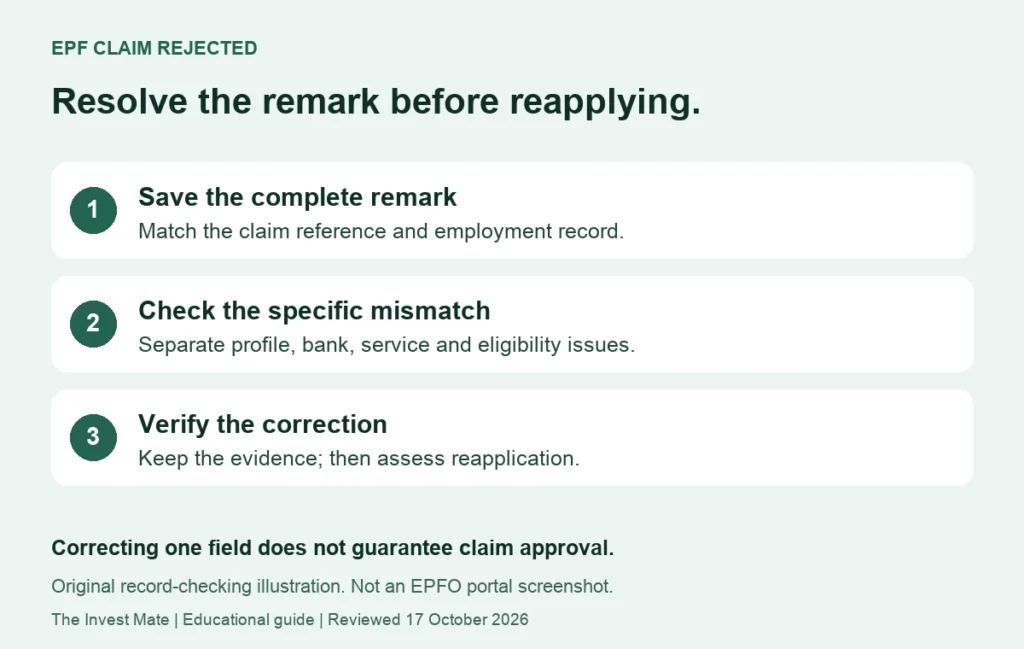
Identify the exact claim, employment and field.
Use documents and the appropriate official route.
Keep the outcome, then assess reapplication.
Need the detailed correction steps? Our EPF name, date-of-birth and Aadhaar mismatch guide explains how to identify the wrong record, choose the applicable correction route and follow up on a pending request.
Example: two remarks, two separate checks
Imagine a rejected claim has two remarks: one asks for bank-detail verification and another asks about an employment exit entry. This is an invented example, not a claim that every EPFO rejection contains two remarks. Correcting the bank detail would not prove that the exit entry is also resolved.
| Item | What to record and do |
|---|---|
| Bank detail | Evidence before correction: Recorded mismatch between the relevant bank and EPFO fields Evidence after correction: Confirmation of the accepted details/verification status. |
| Exit record | Evidence before correction: Affected member ID with missing or inconsistent entry Evidence after correction: Updated service entry or written clarification of the correct route. |
| Reapplication | Evidence before correction: Old rejection and claim reference Evidence after correction: New acknowledgement only after checking that the relevant issues are resolved. |
Do not assume that one remark can always be ignored. If a remark seems irrelevant, ask why it applies to this claim and retain the answer. Likewise, do not submit an incorrect joining date, employment exit or claim purpose because someone reports that it worked for their account.
No rejection reason is visible, or the same problem keeps returning
Save the status screen and note the date, time and claim reference. Check the official claim details available to your account. If a service is temporarily unavailable, that is not evidence that the rejection had no reason. Ask EPFO for the complete remark and the specific record needing attention.
Use EPFiGMS: official grievance service for a documented clarification request. Its service includes registration, status tracking and a reminder option. Keep one coherent evidence trail: the claim remark, relevant documents, earlier correction acknowledgement and previous reply. Use secure official channels for identifiers; do not publish personal documents in a forum.
Subject: Clarification of rejected EPF claim
My request [claim reference] was rejected on [date] with the remark [exact wording]. The relevant record currently shows [brief facts]. I have already completed [correction, if any] under reference [reference]. Please specify the unresolved field or eligibility condition, the employment/member ID concerned and the appropriate next step. Relevant evidence is attached through this official channel.
A final checklist before reapplying
- The exact original remark has been retained.
- The correction concerns the claim’s actual employment/member ID.
- The relevant screen or written reply confirms what changed.
- The intended claim purpose is truthful and its eligibility is understood.
- Any related pending request has been checked.
- A copy of the new acknowledgement will be saved.
A correction receipt is not a settlement guarantee. If a later request is settled but the bank statement does not show the amount, move to the separate settled-but-not-credited payment checklist rather than treating that as another rejection.
Frequently asked questions
Can I reapply immediately after rejection?
First establish what must change. Submitting identical information again does not demonstrate that the problem has been resolved.
Does “KYC approved” guarantee claim approval?
No. The claim can involve other records, service history or eligibility conditions.
Must my employer approve bank KYC?
The April 2025 official release removed employer approval for bank-account seeding after bank verification. Identify the actual step pending on your account.
Should I upload a cheque image again?
The same release removed that image requirement for online claims. If a particular official workflow asks for evidence, clarify its purpose instead of following a generic old tutorial.
Can an agent guarantee PF approval?
A third party cannot guarantee the official decision. Keep account access and authentication under your control.
Does this guide set the current withdrawal waiting period?
No. It covers record checking and correction. Use current official conditions for your particular benefit rather than applying a universal waiting period from an old article.
Reader navigation, portal link and mobile tables updated 20 October 2026. The original correction guidance retains its 17 October source-review date.
Sources and review scope
Official references checked on 17 October 2026. Earlier source dates are shown so a process announcement is not presented as a new October 2026 rule. Portal wording and the route available to an individual member can vary.
- EPFO Member Home: official portal entry
- PIB: bank seeding and online-claim changes, 3 April 2025
- PIB: simplified member-profile updates, 19 January 2025
- Ministry of Labour: year-end 2025 review
- EPFiGMS: official grievance service
The examples, checklists and message templates are original educational illustrations. We have not accessed your EPFO account or tested an authenticated claim on your behalf. This page does not determine your benefit eligibility or promise an approval or payment date.