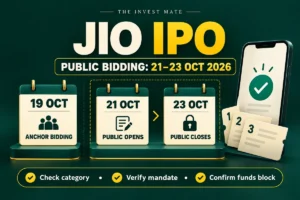
Applied for an IPO but the UPI mandate has not arrived? First check the IPO or one-time mandate section inside your payment app, then match the UPI ID on the application. A broker's “submitted” message, a received mandate and a successful bank block are separate stages. Identify the stage before cancelling anything.
Official provider and exchange guidance checked on 18 October 2026. This troubleshooting guide does not recommend subscribing to an IPO or promise allotment.
Check the issue's mandate deadline and your broker's earlier cut-off now. Contact official support before the remaining window closes. A generic suggestion to “wait until tonight” is not useful when your applicable deadline is earlier.
IPO UPI mandate status: what does each stage mean?
SEBI's UPI application explainer separates bidding, authorising a fund block and payment after allocation. The sponsor bank requests authorisation; approval allows the application amount to be blocked. A block is not proof that shares have been allotted.
| What you can see | What to check next |
|---|---|
| Application submitted, no request | Application UPI ID, app's mandate inbox, supported bank/app and broker transmission status. |
| Request visible, not approved | Correct issue, amount, bank account and approval deadline. |
| Approved, no confirmed bank block | Bank/app authorisation result and failure reason; do not infer success from the tap alone. |
| Bank block confirmed, broker pending | Reference numbers and reconciliation with broker support. |
| Rejected or expired | Whether an official correction route remains available before the cut-off. |
| No allotment, money still blocked | Registrar result, mandate expiry and bank's unblock status. |
For example, “I clicked Apply at 11:10” tells support when the application was entered. “The bank confirmed a ₹15,000 lien at 11:25” tells them something different. Record both instead of describing every issue as “payment failed.”
IPO mandate not received: a practical checking order
- Open the saved application. Read the UPI ID character by character. Confirm that you are looking in the app associated with that ID, rather than another payment app installed on the phone.
- Look inside the app. A missing push notification does not prove there is no request. Check its IPO/mandate area using that provider's official help.
- Check the bank and app combination. A UPI app working for ordinary shopping is not, by itself, evidence that the specific IPO route is supported. Use the current official supported-bank/app information linked by your broker.
- Check the relevant cut-off. Read the offer and broker instructions for this issue and category. Allow time for support rather than leaving the first check to the final minute.
- Escalate the right question. Ask the broker whether the bid and mandate initiation succeeded. Ask the bank/app about a visible authorisation or block error.
SEBI also cautions that an application using a third party's UPI ID or bank account will not be considered for allocation. Do not substitute a friend's account simply because their app receives requests faster.
Where is an IPO mandate in Google Pay?
Google Pay's official instructions give this route: profile picture → Settings → One-Time Mandates. Open the relevant request and read its details. The specified approval deadline appears there. Menu labels may change with app versions, so use current provider help if your screen differs.
Google says requests are generally received in real time but can sometimes arrive by the end of the day. That is a troubleshooting expectation, not permission to miss the issue's applicable cut-off. If the request is still missing, use Google Pay's official support route and the broker's support channel.
What if I use PhonePe, BHIM or another UPI app?
Use that app's own mandate/IPO help. Do not assume Google Pay's menu path applies everywhere. Tell support which UPI handle you entered and which app you have checked. A screenshot of a blank transaction history may not show the separate mandate section.
IPO authorisation also differs from a recurring subscription. If your actual problem is a continuing payment instruction, see our separate UPI AutoPay cancellation guide.
Mandate approved and funds blocked, but broker still shows pending
Check the bank's block confirmation and the mandate reference against the application. Zerodha's support guidance notes that Kite can lag while funds for a valid application are held; the registrar and transfer agent assesses the bid for allotment. A delayed broker display alone is not a reason to create another application.
Send a focused message through official support: “My IPO application shows pending, but the bank confirms the block. Please reconcile the application and mandate references.” Keep the confirmation until the issue is resolved. Do not assume this guarantees allotment: bid validity and allocation remain separate.
Simple money example
Suppose your bank has ₹20,000 available before an illustrative ₹15,000 IPO block. Available funds may fall to ₹5,000 while the ₹15,000 remains reserved. This is different from a completed ₹15,000 debit. Check the bank's lien/block details as well as the transaction list.
Google Pay describes successful approval as reserving funds, while an “executed” mandate indicates money has been removed. Use the exact status and bank evidence when raising a ticket.
Should I cancel and apply again if the request is delayed?
Do not use that as a universal fix. Zerodha says its mandate normally arrives within an hour and gives delete-and-resubmit guidance when it does not, after checking the UPI ID, app updates, supported bank/app and hidden notifications. That is provider guidance; you must still check whether your issue and bid category permit cancellation or modification.
The NSE eIPO FAQ distinguishes mainboard and SME cancellation rules and explains that a submitted bid is an exchange order-book stage. In particular, SME bids have restrictions on cancellation and downward modification. Do not transfer a retail mainboard workaround to an SME or non-retail application.
Before any permitted resubmission, ask: Is the original bid cancelled or still active? Is there an existing block? Is there time for a fresh mandate? Does this offer allow the category combination? Keep the confirmation rather than repeatedly pressing Apply across different brokers.
Can I apply through another app using the same PAN?
NSE warns that multiple bids under the same PAN can be rejected, subject to offer-specific permitted reservation arrangements. A different broker does not make the PAN different. Read the prospectus before treating shareholder, employee and retail applications as interchangeable.
If you are applying for the Jio issue, our Jio IPO dates, lot cost and shareholder-quota guide links the offer documents. Use those issue-specific terms alongside your broker's operational instructions.
No allotment but IPO money is still blocked: what now?
The NPCI IPO-on-UPI overview describes funds being debited for allotment and the unused amount being released; without allotment, the block is released through the mandate process. The amount may therefore need an unblock, rather than a refund of a completed payment.
- Check the official registrar's allotment result for your application.
- Read the bank's current block/lien details and the mandate's expiry information.
- Give the bank and broker the application and mandate references through their private support channels and ask what is pending.
This guide does not promise a universal “refund within 24 hours.” The issue schedule, mandate state and bank processing need checking. If the problem is an ordinary merchant UPI transfer rather than an IPO block, use our failed UPI payment and debited-money guide.
What details make an IPO support ticket useful?
Include the issue name, bid category, application time, application reference, current broker status, mandate status, bank-block confirmation and error wording. Share identifiers only in the provider's official private channel. Never put a UPI PIN, OTP, full PAN or bank statement in a public comment.
A concise ticket is easier to diagnose: “No mandate visible in the app; UPI ID checked; application submitted at [time]; closing-day cut-off [time]. Please confirm whether mandate initiation succeeded and the permitted next step.” If a block exists, say so at the start.
Source note: Official SEBI, NSE, NPCI and provider references are linked beside their explanations. App procedures and issue deadlines can change. The Invest Mate does not process applications, resolve bank blocks or guarantee allocation.